Before you start
Complete the quickstart and keep your terminal in itsrwx-quickstart clone. If you followed
catching and fixing a local regression,
restore the calculation first. Check:
1. Add the sandbox configuration
Create.rwx/sandbox.yml with this definition:
preserve-git-dir: true retains Git metadata for file syncing.
The final task starts the persistent sandbox instead of running one CI check.
The sandbox stops after two minutes of inactivity. The five-minute task timeout
also bounds this short exercise. Stop it explicitly when you finish.
Check the definition:
2. Run the project tests
.rwx/sandbox.yml, prepares its tasks, and runs the command. Keep the
printed sandbox URL: it opens the setup tasks in RWX Cloud.
Look for this test summary:
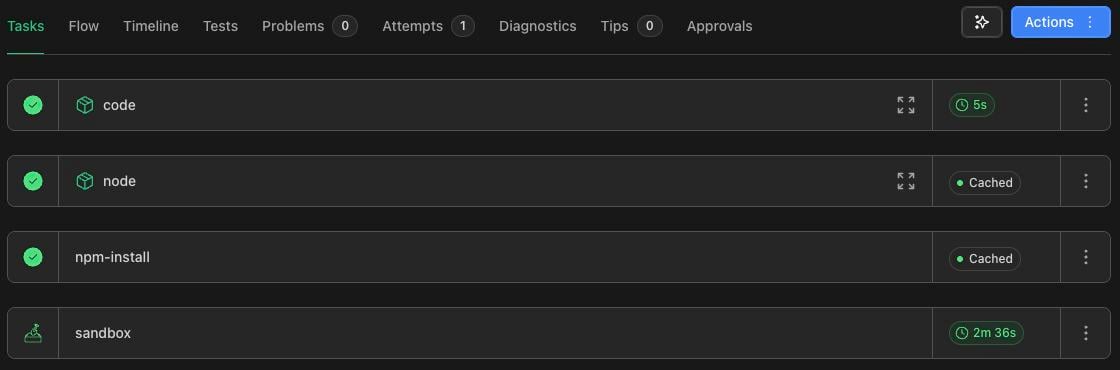
sandbox task remains available for your next command.
3. Send a file and receive a cloud edit
Createsandbox-note.txt in the clone:
sandbox-note.txt back from the sandbox.
Read your local copy:
cloud edit line.
4. Stop the sandbox
From the same clone and branch, run:quickstart branch and .rwx/sandbox.yml file.
Other sandboxes you have started may still appear.
Your sandbox-note.txt remains local after the sandbox stops. You can now use
one cloud environment across commands and bring its file edits back to your
working directory.
If a step fails
For a larger project, adapt the setup tasks using the
CI workflow guide. See the
sandbox guide for longer-lived sessions and
additional environment setup.